Taking the screenshot
When there's something wrong with your site (you're getting some errors like "Forbidden or not found" or any other ones) we recommend you to take a screenshot of the browser window and send it by email to our support team at support-team@2by2host.com
How to take a screenshot:
- In the browser (Opera/InternetExplorer/Mozilla Firefox) window, where you're seeing the problem, press the PrintScreen or Prt Scr (above the Insert key, right from the F12 key).

- Open a new Word document.
- Press the Ctrl+V combination (or Меню «Edit – Paste»). The screenshot will be inserted in to the document.
- Save the Word document and send it to us as an attachment.
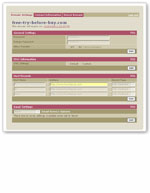
Sample of the screenshot

If you would like a service but do not have enough of a budget, earn points through our affiliate program by referring customers to us and use them toward your project or service with us.
Have any questions?
Use the following form to submit them or call us at 917.558.8139 within US or +1 917 558 81 39 (International).
GEORGE
Sales & marketing
ALEX
Sales & marketing
GREG
Senior developer
Use the form below and ask your questions